audacious is probably one of my favorite music players. With some GNOME plugins added, it's a blast for playing all kinds of music. But there's one small issue: since music is usually meant to keep playing, I want it to stay running in the background when I click close.
Many people offer all sorts of suggestions, like adding this or that command-line parameter. Actually, Audacious comes with this background-running feature built in.
Here's how to enable it:
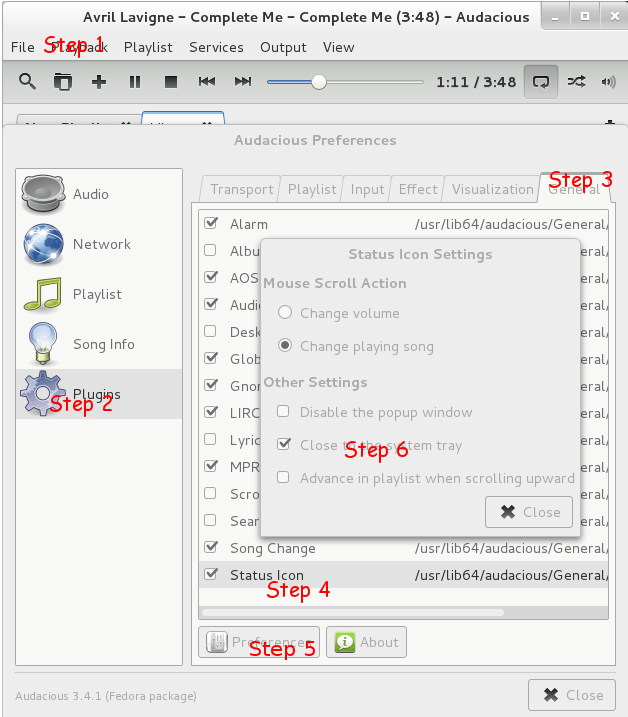
File -> Preferences -> Plugins -> General -> Status Icon
Check the box next to this plugin.
The Preferences button below will become active. Click that Preferences button and check "Close to the system tray".
As shown below:
Done.
Comments · 3